
Multi-Charts
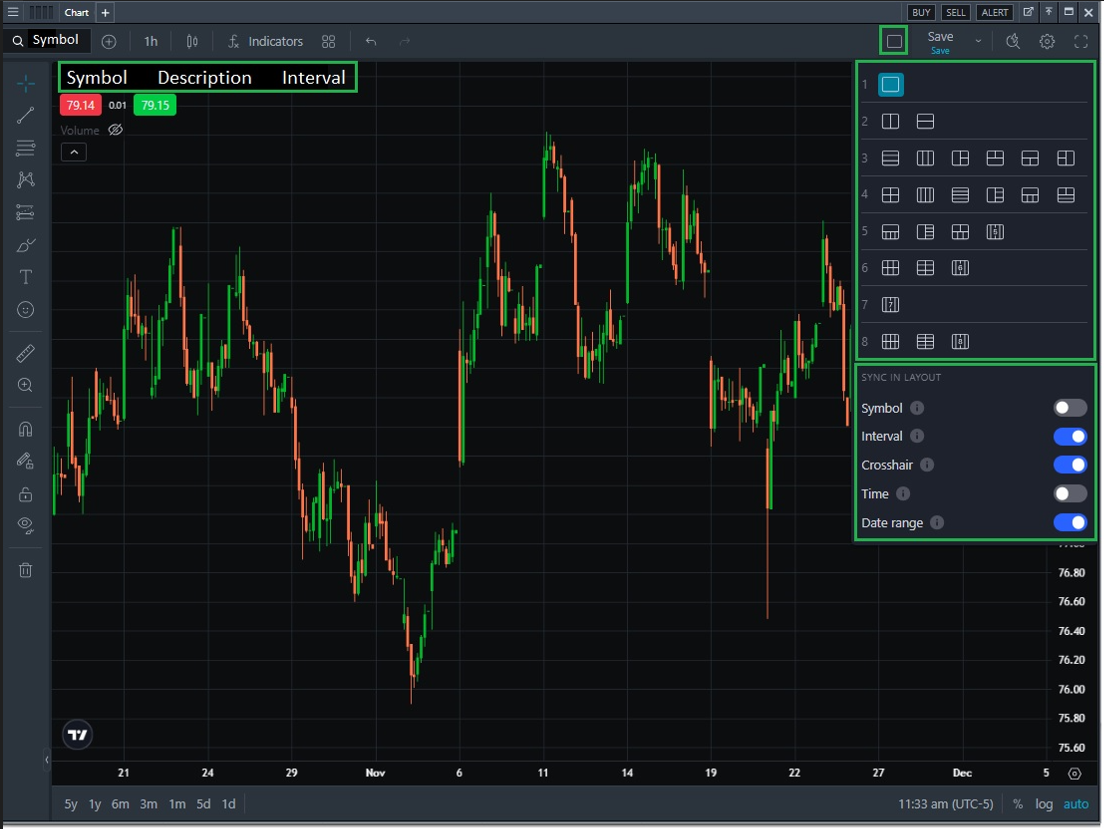
Multi-Charts streamline the user interface to help provide an integrated and synchronized experience across symbols, time frames and intervals. Users can have up to 8 charts in a single charting widget. To access, navigate to the chart widget and click the rectangular button to the left of the Save button. Click here to learn more about Multi-Charts.
Charts
Enhancement: Creating an order using the bid/ask buttons in the top left-hand corner of the chart now follows user order preferences
Platform Wide
Enhancement: Ticker color in performance mode flash settings now changes color based on the current price versus the previous day close
Enhancement: Critical performance enhancements to all tabular and charting widgets across the platform for a more predictable, stable, and consistent experience