
Portfolio Manager
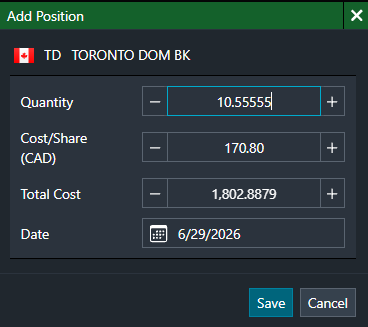
What's new: Portfolio Manager now supports up to 5 decimal places for Quantity.
Why it matters: Users can enter and view more precise position quantities where fractional values are required.
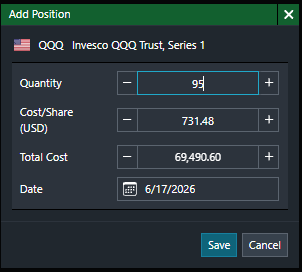
What's fixed: ETF quantities can now be entered freely without restriction to predefined multiples.
Why it matters: ETF quantities display and calculate correctly, improving accuracy in portfolio values.
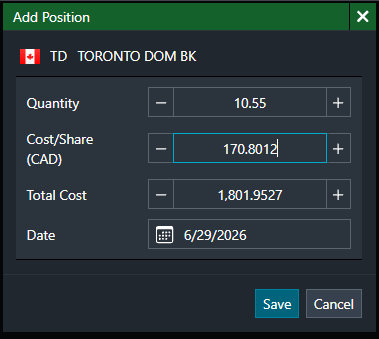
What's new: Portfolio Manager now supports up to 4 decimal places for Cost/Share.
Why it matters: Improves accuracy in cost calculations, especially for securities requiring higher precision.
News
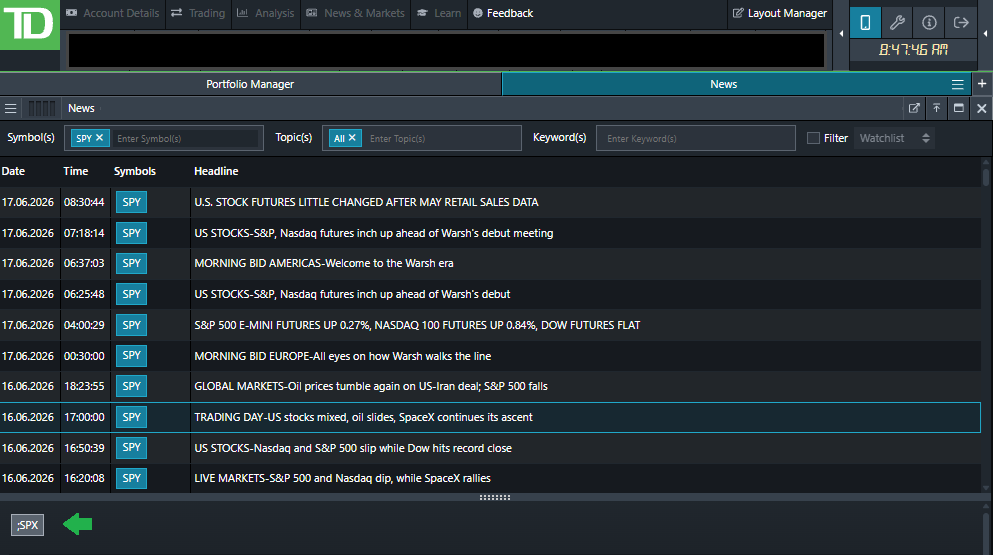
What's new: Index ETF news is now linked to the related underlying index news.
Why it matters: Users can more easily find relevant market news connected to the ETF’s underlying index.
Pop-out Widgets
What's fixed: Pop-out widget windows now display the specific widget name instead of “Advanced Dashboard” (only applicable to web version and not launcher).
Why it matters: Makes it easier to identify and navigate between multiple open widgets, improving usability and reducing confusion.

What's new: When pop-ups are enabled, pop-out windows now fully restore after re-login in Safari and Edge without prompt messages.
Why it matters: Reduces interruptions and improves the overall user experience.
Order Entry
What's new: Order Entry now consistently displays all available values when revisiting strike selection field.
Why it matters: Improves efficiency when placing options trades.
Market Depth
What's fixed: The Date column now remains visible when the Market Depth widget is resized.
Why it matters: Ensures key information remains accessible even in compact layouts.
Quote
What's fixed: Buy and Sell buttons remain stable when prices update.
Why it matters: Reduces visual distractions with a more stable layout.
Holdings
What's fixed: The sync issue between Holdings account metrics and the account information in the top-right corner has been fixed.
Why it matters: Users should now see consistent account values across both areas.
News
What's fixed: The News Widget now handles watchlist filters containing indices without causing freezing or crashes.
Why it matters: Improves application stability and reliability when using watchlist filters.
Multi-Screen Set up
What's fixed: Extended-screen widgets and workspaces now reopen on the correct screen after re-login in Edge and Firefox.
Why it matters: Maintains workspace continuity, saving time and reducing manual rearrangement after logging back in.
Application Settings
What's new: Contact information has been updated to reflect current support and reference details.
Why it matters: Ensures users can quickly reach the correct support channels with accurate information.